SlotKaki e-wallet casino: fund slots straight from your phone
SlotKaki accepts slot deposits through the Touch 'n Go eWallet, GrabPay and Boost e-wallets, as well as DuitNow, all in ringgit. You pick the method at the counter inside your account on slotkaki.org, and the e-wallet app then opens with a payment request for the same amount. The name on the e-wallet must match the name on your account.
- Malaysian ringgit (MYR) only
- The e-wallet must be in your own name
- Adults aged 18 and over only
Checked on 28 October 2026
E-wallets and other methods at the counter
Each method opens a different screen. The right-hand column is your signal to stop.
| Method | What you should see | Stop if |
|---|---|---|
| Touch 'n Go eWallet, GrabPay, Boost | The e-wallet app opens with a payment request for the same amount as the counter | You are told to transfer money to a person's phone number |
| DuitNow QR | A QR code or DuitNow ID from the counter, and your bank app shows the recipient name before you confirm | The recipient is an individual the counter did not show |
| FPX | Your own bank's login page, then a TAC or bank-app approval | You are asked to type your bank ID into a form that is not your bank |
| Crypto (USDT, BTC, ETH) | A wallet address and network shown by the counter | The network in your wallet differs from the one at the counter |
How to fund slots with an e-wallet
- Log in on slotkaki.org and open the Deposit counter. Make sure the address bar shows slotkaki.org before you type any amount.
- Choose your e-wallet and type an amount within the limits shown. The request appears in your transaction history straight away.
- The e-wallet app opens. Check that the amount matches what you typed, then approve it with your own PIN or biometrics.
- Go back to the counter and check the status in your transaction history. The balance updates once the payment is confirmed.
- Keep a screenshot of the e-wallet receipt showing the amount, time and reference number.

Why the e-wallet name must match your account
SlotKaki compares the name on the e-wallet with the full name in your profile. Payments from someone else's e-wallet can be held or refused, even when the owner is family.
The same rule protects you at withdrawal time, because money is only sent to an account in the account holder's name. If the spelling differs, for example a shortened name or a missing "bin", ask support to correct the profile before your next deposit.
Withdrawals to an e-wallet
Withdrawals are made from the same counter. The e-wallet options open for withdrawal are listed there with the current limits.
Before your first withdrawal, your profile has to be verified: full name, bank or e-wallet account, phone number and email must belong to the same person. Each deposit also has to be wagered at least once before it can be withdrawn.
Touch 'n Go specifics, including withdrawals to TNG eWallet, are in the Touch 'n Go casino guide. If you pay with a bank QR code, read the DuitNow slot guide.
Common e-wallet deposit problems
Money left the wallet but the balance has not changed
Do not pay again. Check the e-wallet's own history to see whether the payment really succeeded, then refresh the counter. If the e-wallet shows success and the counter has no record, contact support with the reference number, amount and time.
Payment refused because the names do not match
Compare the name in your SlotKaki profile with the name registered in the e-wallet app. Ask support to correct the profile, and do not retry with someone else's e-wallet.
The e-wallet app does not open
Make sure the app is up to date and that you are signed in to the e-wallet on the same phone. Start a fresh request from the counter, not from an old link.
Someone gives you an e-wallet number for a "quick deposit"
That is not how SlotKaki takes payments. Do not send money. You can check the number on the Semak Mule PDRM portal and report scams to the NSRC on 997.
Prefer cryptocurrency? The crypto casino guide explains USDT, BTC and ETH deposits and how to pick the right network.
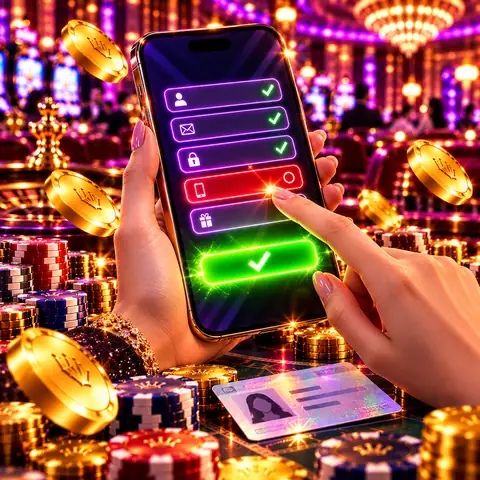
E-wallet casino in pictures
Each picture explains one check or step before you fund slots with an e-wallet.










Questions
Does SlotKaki accept e-wallets?
Yes. Touch 'n Go eWallet, GrabPay and Boost are listed as deposit methods at the counter, alongside DuitNow, FPX and crypto. The options for your account are always shown at the counter.
What is the minimum e-wallet deposit?
Minimum and maximum amounts change from time to time, so they are not written here. Current values are shown at the counter before you confirm a payment.
Can I use a family member's e-wallet?
No. The name on the e-wallet must match your account name, and payments from someone else's e-wallet can be held.
Does it cost anything to register?
No. Registration is free. Anyone asking for a registration fee or an activation deposit is a scammer.
More guides on this site
Set limits before you play
Casino games and betting are paid entertainment, not a way to earn income. Set a deposit limit in your account before the first deposit. If you want a break or to close the account, ask support for self-exclusion. Adults aged 18 and over only.
Support
Live chat is available after you log in on slotkaki.org. Before login, email slotkakiplay@gmail.com from your registered address, or Telegram @Slotkakiofficial. Include your username, the payment method, amount, time and reference number. Never send your password or SMS code.
About this guide
This guide is written for SlotKaki players in Malaysia. Payment facts are based on information published by SlotKaki and were checked on 28 October 2026. Limits, fees and promotions are left out because they change; current values are shown at the counter in your account. This site does not run games and does not hold player money. The Sign up button is a referral link.